See Notebooks in Action
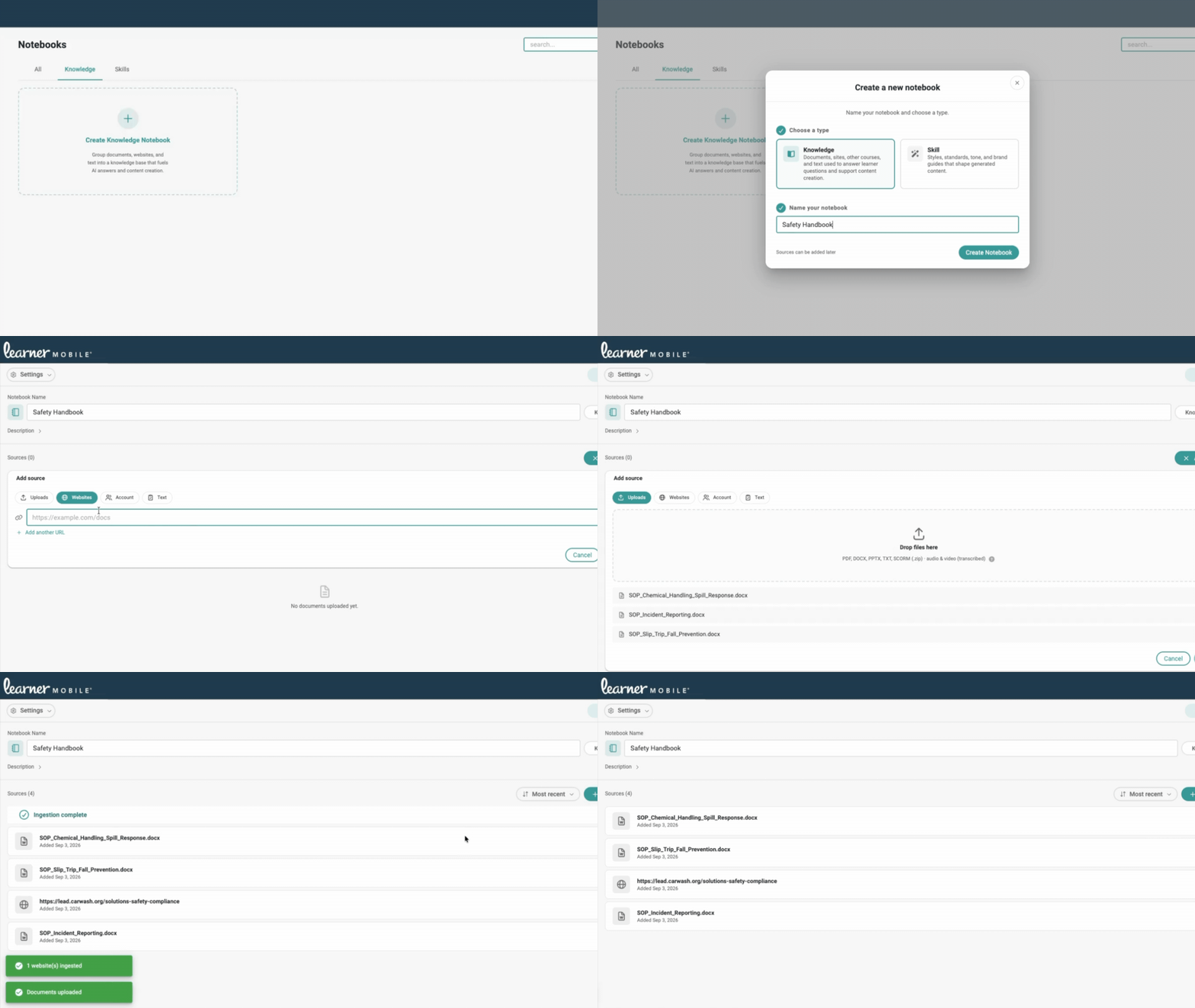
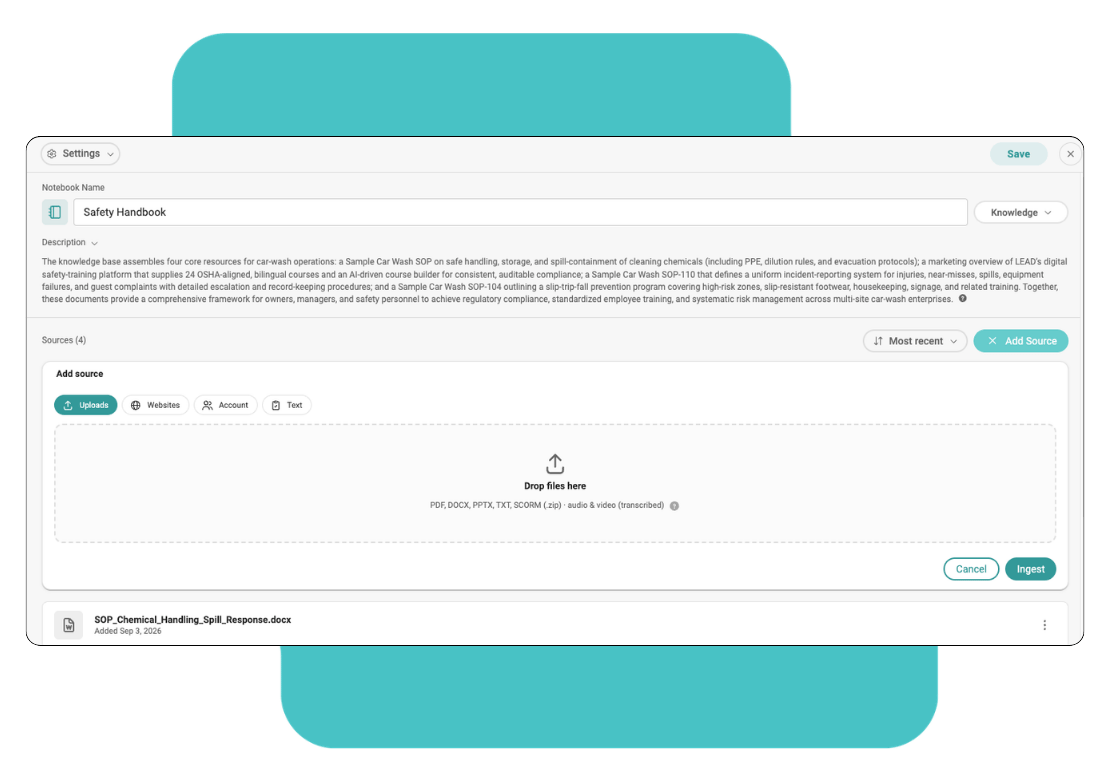
Notebooks takes your SOPs, safety manuals, and course library and turns them into a knowledge base your team can query directly, inside the platform you already use. Here's what that looks like end to end, from adding a source to getting a real answer back.
DO NOT DELETE THIS - ADDS ID TO MODULESDO NOT DELETE THIS - ADDS ID TO COLUMNS
How It Works
From scattered SOPs and PDFs to a knowledge base your whole team can query with no instructional design background, and no manually rebuilding a course every time a policy changes. Just the content you already have, organized, current and ready to answer real questions.
Upload SOPs, safety manuals, policies, PDFs and presentations, or add existing LEAD courses and curriculums, and even a website or domain (your own site, or a reference like an OSHA page).
Query the Notebook directly: summarize, review, search, practice or create. Every answer is grounded in the content your team put in, not a generic model guess.
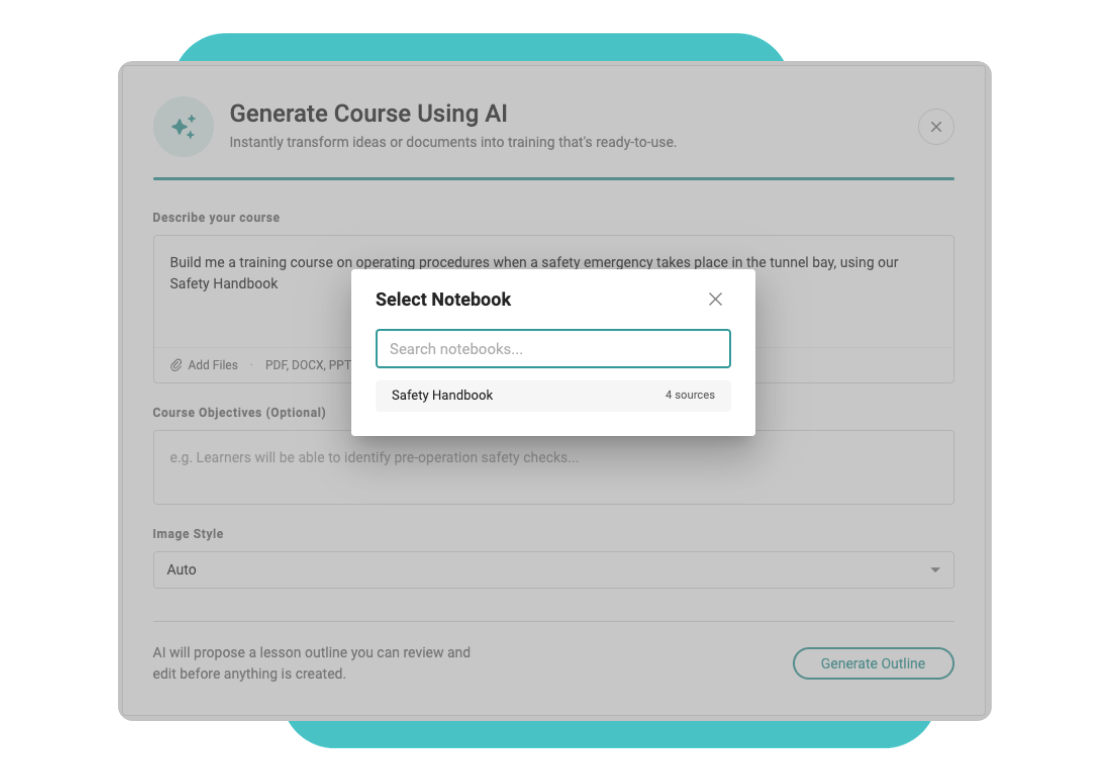
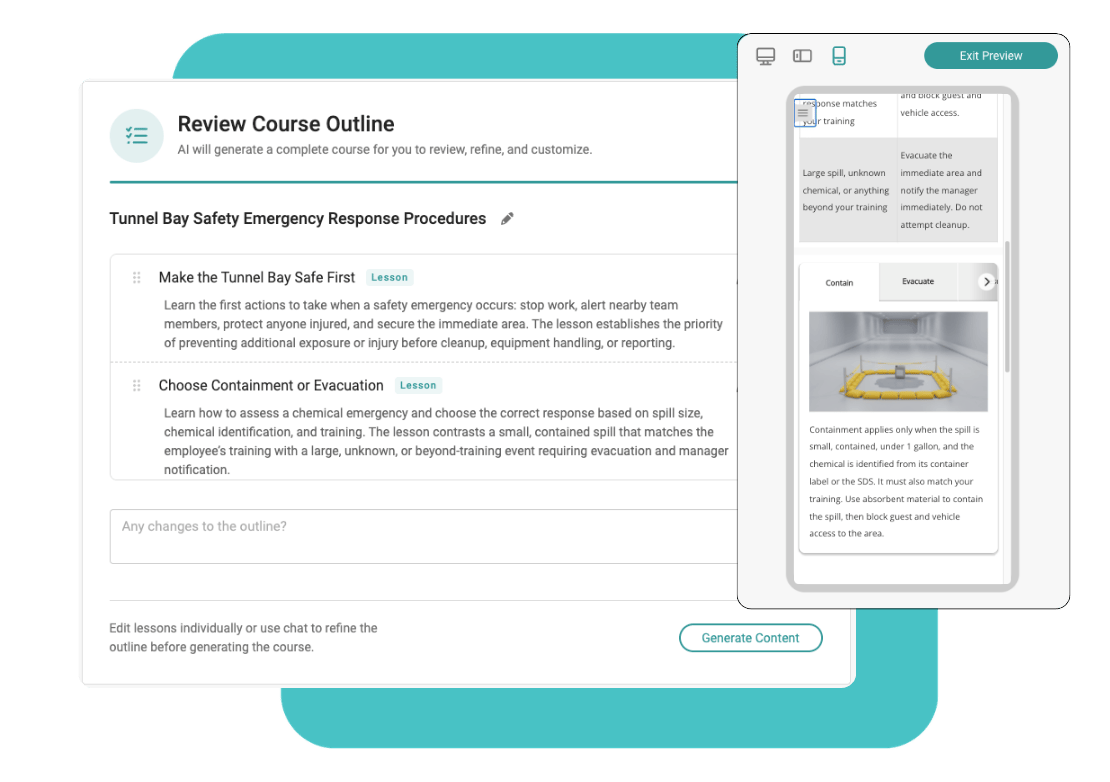
Instead of uploading source documents one at a time, point the AI course generator at a Notebook and describe the training you need, it proposes a structure you review before anything is built.
Refine the generated lessons, then publish and assign; real, ready-to-use course content built from the material your operation already trusts.
Linked sources are re-checked roughly every 7 minutes, so both the Notebook and the courses built from it, and the answers your frontline gets are never the outdated version.
DO NOT DELETE THIS - ADDS ID TO COLUMNS
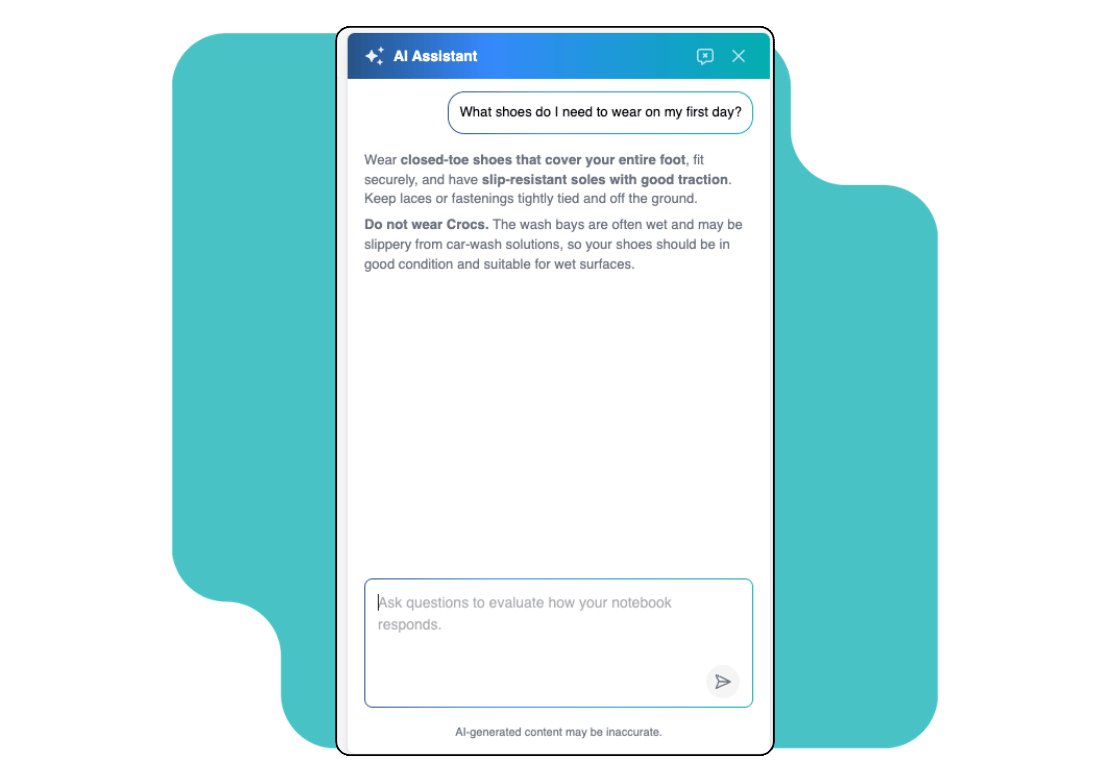


Your greeters shouldn't have to guess. They should be able to ask.
The best operators don't just train once and hope it sticks, they make sure the right answer is always one question away, for every shift, every location, every new hire.
Built for the way your operation actually works
Built from what you already trust
Turn your SOPs, safety manuals, policies, and existing LEAD courses into one searchable knowledge base, no rebuilding from scratch.
Content that keeps itself current
Link a Notebook to a policy doc or webpage and it checks for updates every few minutes, never the outdated version.
Answers your whole team can reach
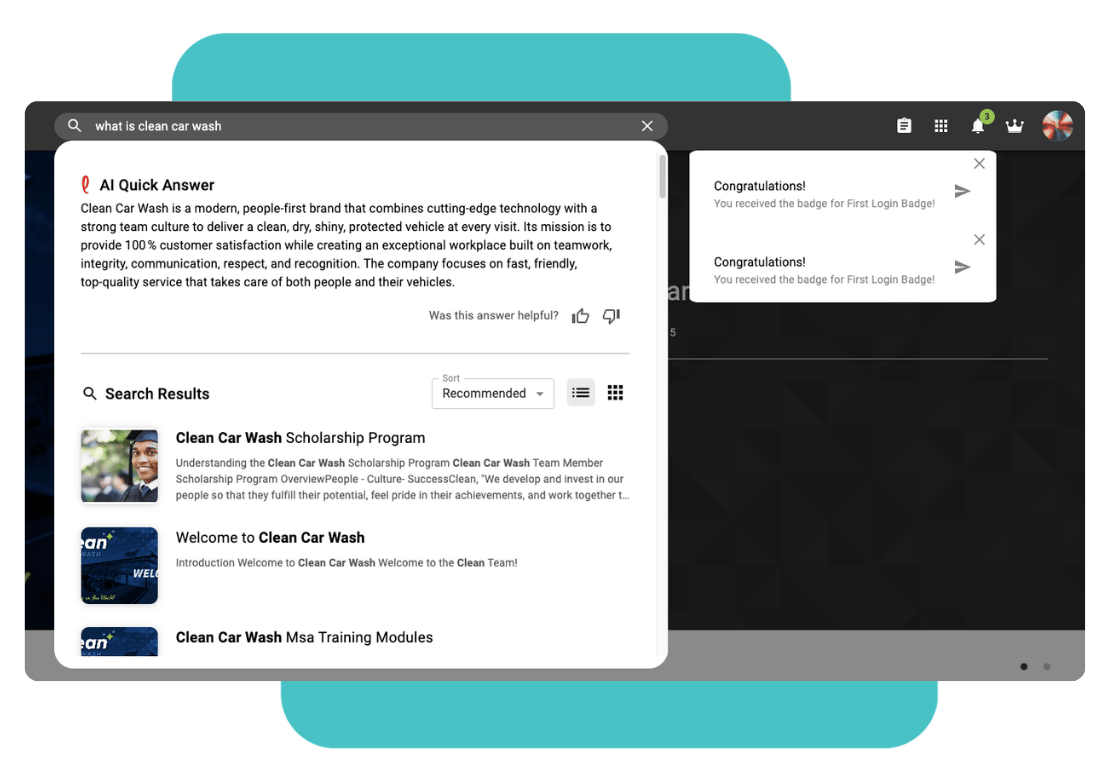
The same knowledge base that powers admin content creation also improves learner-facing search: a real, synthesized answer instead of just a matching course title.
Frequently asked questions
Docs, PDFs, presentations, videos, audio, existing LEAD courses and curriculums, and website or domain links, including your own site or an external reference like an OSHA page.
Notebooks are admin-delegated. Whoever creates a Notebook assigns editors, managed through a permission set for admins.
No. You can add existing courses and curriculums as sources, and the AI Assistant can push updates back out to tagged courses when a Notebook's source material changes.
Yes, the same knowledge base also improves learner-facing AI search, surfacing a synthesized answer grounded in your approved content instead of just a matching course title.
Linked URLs and domains are re-checked roughly every 7 minutes, so your knowledge base, and anything built from it, doesn't go stale.
No. AI features are optional, and your content isn't used to train models outside your account.
DO NOT DELETE THIS - ADDS ID TO ROW
See how Notebooks work with your own content
Bring an SOP, a safety manual, or a policy doc, and we'll show you what it looks like as a Notebook.
- 400+
locations - 10,000+
learners - Countless
time saved